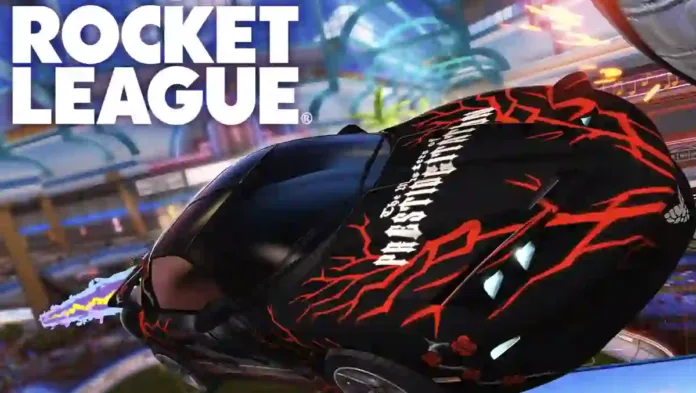
Rocket League update 2.70 is available to download on PS4, PC, and Xbox One. According to the official Rocket League 2.70 patch notes, the latest Season 23 update introduces the FIFA World Cup event, player-selected respawn locations, Streamer Mode anonymization, speed and hitbox overlays, Goal Scorer’s replay view, and expanded Custom Training tools. Apart from this, today’s Rocket League version 2.70 also fixes replay loading, crashes, audio, UI issues, and numerous cosmetic bugs.
Rocket League Season 23 Update Summary
- Added the Rocket League x FIFA World Cup 2026 limited-time event with country leaderboards and rewards.
- Introduced selectable respawn locations after demolitions in online matches.
- Added Streamer Mode anonymization, speed graphs, hitbox visualization, and replay camera tools.
- Expanded Custom Training with vehicle velocity, pitch, and boost customization.
Rocket League 2.70 Patch Notes – June 10, 2026
FIFA World Cup 2026 Limited-Time Event
- Added the Rocket League x FIFA World Cup 2026 limited-time event.
- Players can choose a country and earn points through online matches.
- Country rankings are tracked on the global leaderboard at RocketLeague.com.
- Participation rewards are available, with additional rewards based on leaderboard placement.

Choose Your Respawn Location
- Added a new respawn selection system after demolitions in online matches.
- Players can select from available spawn locations on their side of the field.
- If no selection is made before the timer expires, a spawn location is chosen randomly.
- The feature is bound to the left analog stick by default and can be remapped through keybindings.
Streamer Mode
- Added player name anonymization during online matches.
- Supports anonymizing the player’s name, teammates, and opponents through new settings.
- Anonymization applies to scoreboards, social menus, and spectator voice notifications.
- Saved replays continue to display real player names.
- In-game reporting remains fully available.
New Gameplay Tools
Speed Stat Graphs
- Added a real-time speed overlay for both the car and ball.
- Can be enabled or disabled through the Settings menu.
Hitbox Visualization
- Added an in-game hitbox overlay for vehicles.
- Available in Offline Freeplay.
Goal Scorer’s View
- Added a replay camera option that switches to the goal scorer’s perspective.
- Available across all game modes.
Custom Training Expansion
- Added configurable starting vehicle velocity for training shots.
- Supports creating mid-air starting scenarios.
- Added adjustable car pitch rotation during training creation.
- Added a starting boost amount slider in the Settings menu.

Bug Fixes
Gameplay
- Fixed drifting grass and dirt visual effects launching in the wrong direction.
- Fixed missing Crossbar Ping audio near goalposts and crossbars.
- Fixed lobby music not playing for some players.
- Fixed 2017 and older Hoops replays failing to load.
- Fixed a crash that could occur while loading into a match.
- Fixed an Xbox Series X crash when exiting after attempting to join a match with a splitscreen guest.
- Fixed a PS5 issue preventing players from returning to the main menu after a Server Maintenance notice.
- Fixed incomplete second-floor railing geometry in the Mall Map Arena.
Cosmetic
- Fixed animated decal alignment on the Chrysler Pacifica body.
- Fixed Chrysler Pacifica engine audio not carrying over to other vehicles.
- Fixed reversed RS logos on two Porsche 911 GT3 RS wheels.
- Fixed Air Jordan P6 Decals appearing incorrectly on the Bone Shaker roof.
- Fixed Crossline Paint Finish appearing off-center on multiple bodies.
- Fixed transparency issues on Cool Cactus and Yard Marker Antennas.
- Fixed transparency issues on Dragon’s Roost: Radiant Wheels.
- Fixed boost_colortrip Rocket Boost visual stuttering during activation.
- Fixed a white line artifact on the deadmau5 Marble Topper animation.
- Fixed the 007 Aston Martin DB5 Wheel not displaying as owned after purchase.
- Fixed missing Yen symbols for Credit bundle prices on Epic Games Store and Steam.
UI & Menus
- Fixed player nameplates not dimming after leaving casual matches.
- Fixed opposing teams incorrectly displaying the player’s club name.
- Fixed inconsistent multi-select matchmaking behavior when no playlist was selected.
- Fixed controller users being unable to close submitted voice reports.
- Fixed the News Panel not appearing for accounts with over 600 XP.
- Fixed a brief showroom preview flash when leaving the Item Shop or Rocket Pass.
- Fixed new users being unable to open the radio playlist menu on first launch.
- Fixed overlapping button glyphs in Voice Moderation settings on Epic Games Store, PS4, Xbox One, Switch, and Switch 2.
- Fixed PC control binding options not highlighting when hovered over with a mouse.
Previously, a major Rocket League update 2.18 added the 007’s Aston Martin DBS to the game. Unfortunately, players are still facing various bugs in the game. Today’s Rocket League patch 2.70 will resolve a few of these issues.
Download free Rocket League update 2.70 on PS4, PC, and Xbox One.